
The best CRM for a small nonprofit is the one its team can maintain and use consistently. Start with the records you need, the tasks taking up staff time and the full cost of getting started, not simply the longest feature list.
This article compares five options and explains what to check when your nonprofit has a small team and limited administrative capacity. Sumac is included as a case-management platform with an optional Donations extension.
Societ provides Sumac and Glass Register. This comparison uses vendors’ published information; the order is not an independent performance ranking or a hands-on test.
First, decide what your team needs to manage
A nonprofit CRM organizes constituent information, often including donors, giving history and communications. Case management software addresses client services. An online donation form collects gifts. These are related needs, but they are not interchangeable.
- Donor relationships: Look for giving history, acknowledgments, outreach and fundraising reports.
- Client services: Evaluate intake, case notes, follow-ups and outcome reporting, with appropriate access controls.
- Online giving: A donation form may address the immediate need without replacing your existing database.
Write down three essential tasks and who will own the system. A small team needs a manageable setup as well as useful features.
1. Sumac Donations Extension: Client Services and Giving
Sumac Case Management Software for Nonprofits supports client and program records. Its optional Donations extension adds donor records, gift tracking, receipts and fundraising reports within that system. Consider this configuration when your small nonprofit needs both case management and donor administration.
Write down three essential tasks and who will own the system. A small team needs a manageable setup as well as useful features.
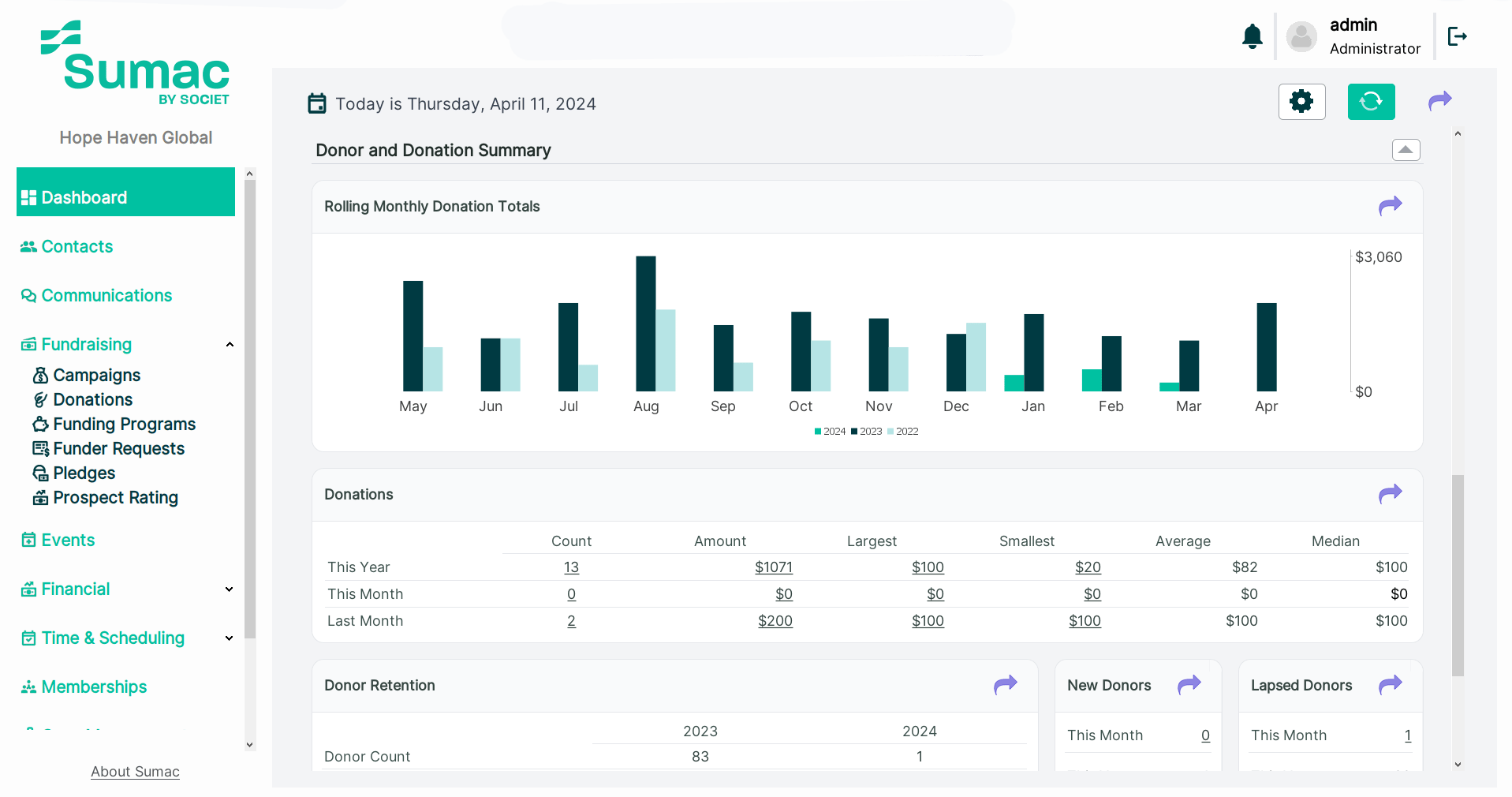
Key Features:
- Client Records and Reporting: Organize client information and program activity, with outcome-based reports for your team and funders.
- Customization: Configure records and workflows around your programs. Agree which changes staff can make and which require implementation support.
- Pricing: Request a written quote for the base subscription, Donations extension, required forms, records, users and implementation services.
- Connections: Sumac lists accounting and email integrations, including QuickBooks and Mailchimp. Confirm the supported versions, data flows and setup for your organization.
- Extensions: Add donor management through the Donations extension. Other optional extensions include memberships, volunteers and grant management.
- Support: Phone support and on-demand training are listed as included. Confirm support hours and any additional onboarding or training services you need.

Small-Team Fit and Cost Checks
Shortlist Sumac when coordinating client services is a core need and donor administration also belongs in scope. A donor-only team should compare that combined setup with a dedicated donor CRM rather than pay for functions it does not need.
Ask the demo team to show a client follow-up and a donor acknowledgment, using fictional records. Confirm who can see each type of information. Sumac is not HIPAA compliant, and Societ does not sign Business Associate Agreements; review the intended information and required agreements before selecting it.
2. Bloomerang: Donor Stewardship
Bloomerang CRM brings donor records, engagement tools, communications and reporting together. Its fundraising and volunteer products have separate packaging, so compare the CRM and the broader bundle against the functions your small team actually needs.
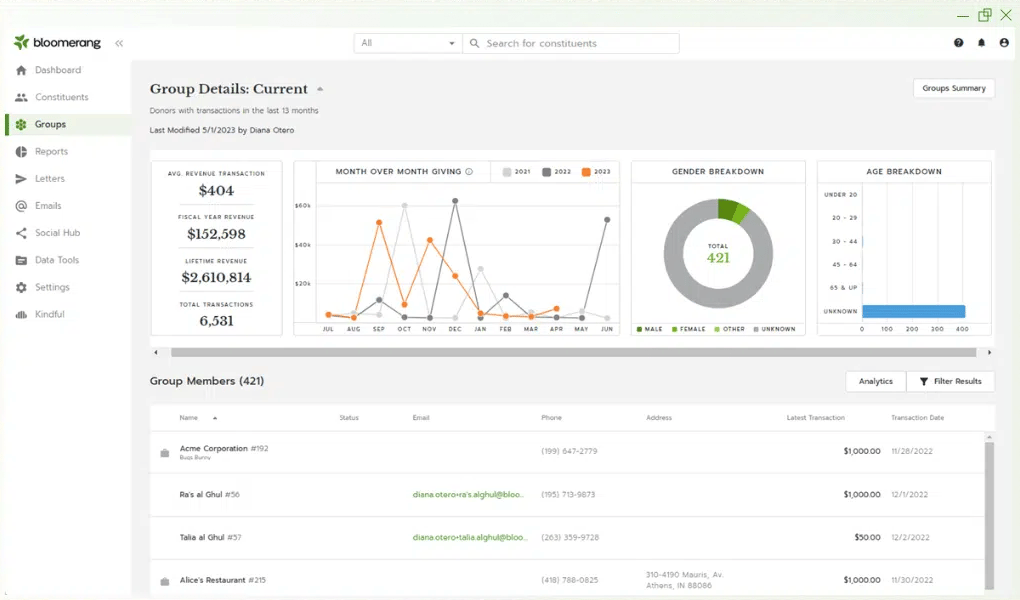
Key Features:
- Donor Retention: Bloomerang focuses on donor retention, providing tools to track engagement and improve donor relationships.
- Team Access: The CRM lists unlimited users and customizable permissions. Test the interface with the people who will enter gifts and manage donor follow-ups.
- Comprehensive Reporting: Bloomerang offers detailed reporting and analytics, helping you make data-driven decisions.
- Connected Tools: Confirm which fundraising, email and accounting connections are available in your package and how the data moves between systems.
Small-Team Fit and Cost Checks
Consider Bloomerang when a small fundraising team needs to coordinate donor follow-up. During the demo, ask a staff member to identify lapsed donors and prepare a targeted message. Review current pricing, including annual billing, the contact allowance and any additional products.
3. Neon CRM: Donor Management with Optional Modules
Neon CRM is Neon One’s donor-management platform. It combines donor records, fundraising, communications and reporting. Event, volunteer and membership management are available as optional modules rather than automatic inclusions in every subscription.
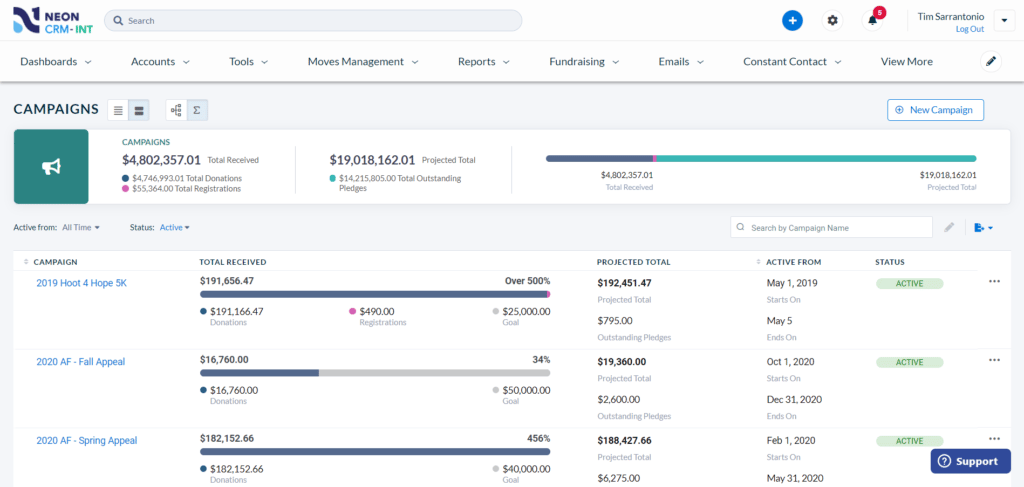
Key Features:
- Fundraising: Use online donation forms, recurring giving and peer-to-peer fundraising tools. Event functions are offered through an additional module.
- Volunteer Management: The optional volunteer module includes shifts, timesheets and a volunteer portal. Include its cost and setup in your evaluation.
- Reporting: Use reports and dashboards to review donor activity and fundraising results.
- Connected Tools: Confirm the available accounting and email connections and the configuration your team would maintain.
Small-Team Fit and Cost Checks
Consider Neon CRM when donor management is your main task and you may need membership, event or volunteer tools as well. Its pricing depends on organizational revenue and selected modules. Compare onboarding and migration services too, and ask who on your team will maintain each workflow.
4. DonorPerfect: Gift Administration and Fundraising
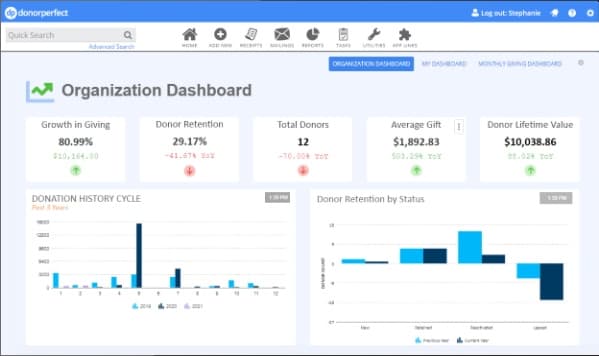
DonorPerfect connects donor records, gift processing, receipts, communications and reporting. For a small team, the relevant question is which package supports its daily work and preferred support channels without unnecessary additional services.
Key Features:
- Fundraising and Donor Management: DonorPerfect offers a wide range of tools for managing donors, tracking donations, and organizing fundraising campaigns.
- Customizable Reports: The platform provides customizable reports and dashboards, allowing you to track key metrics and measure success.
- Online Giving: DonorPerfect includes tools for creating online donation forms and processing payments securely.
- Integration: Integrates with various third-party applications, including accounting software and email marketing tools.
Small-Team Fit and Cost Checks
Consider DonorPerfect when gift entry, acknowledgments and finance handoffs are recurring tasks. Ask staff to enter a gift, produce a receipt and prepare the accounting output they need. Compare Core, Plus and Pro before requesting a quote; support channels, integrations and advanced features differ by package.
5. Little Green Light: Donor Records and Gift Tracking
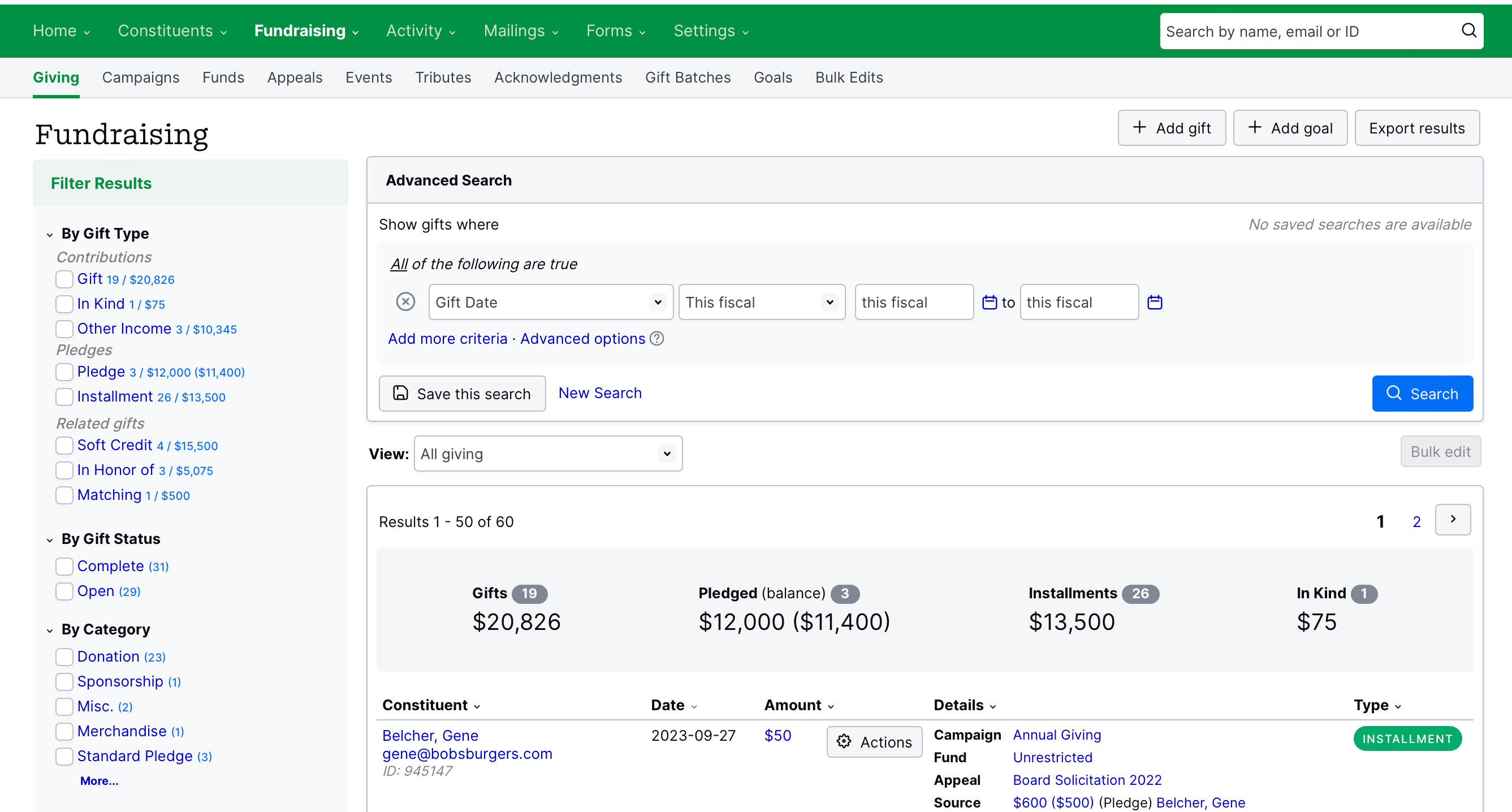
Little Green Light focuses on constituent records, giving history, acknowledgments and fundraising reports. It is an option to evaluate when your priority is maintaining donor information, rather than implementing a client case-management system.
Key Features:
- Donor Management: Little Green Light offers tools for managing donor information, tracking donations, and organizing fundraising campaigns.
- Event Tracking: Track invitations, attendance and event-related giving. Demonstrate any required registration, ticketing or check-in workflow before assuming it is covered.
- Reporting and Analytics: Little Green Light provides customizable reports and dashboards, helping you track key metrics and measure success.
- Integration: Integrates with various third-party applications, including accounting software and email marketing tools.
Small-Team Fit and Cost Checks
Consider Little Green Light when donor administration is your main need. Its pricing is based on constituent count and includes unlimited users; online payment processing has separate charges. Use a trial to check acknowledgments, reports and the external tools your team would still need.
Compare the Full Cost, Not Just the Subscription
For a small nonprofit, affordability includes staff time as well as software fees. A low subscription can still require paid setup, extra tools or regular manual work. Ask each shortlisted vendor for the same written breakdown:
- Recurring costs: Subscription, required modules, record and user limits, payment processing and renewal terms.
- Getting started: Data cleanup, migration, configuration, training and time your own team must contribute.
- Ongoing administration: Who maintains forms, permissions, integrations and reports, and what support is available?
Confirm the currency and billing period before comparing amounts. An annual-billing offer, a revenue-based subscription and a record-based plan are not like-for-like quotes. Include the required donor-management extension when pricing a case-management platform.
A Practical Evaluation Plan for a Small Team
Choose two or three shortlisted systems and use the same fictional records in each demonstration. Focus on the work your team must do every week.
- Name an owner and a backup. Decide who maintains records and permissions, who trains new users and who covers absences. Confirm individual user accounts rather than relying on shared credentials.
- Test three essential tasks. For donor work, record a gift, produce an acknowledgment and create the report finance needs. For client services, test intake, a follow-up and an outcome report separately.
- Check migration and exit. Confirm what can be imported and exported, including history and relationships. Test a small import, reconcile totals and agree how recurring donations and payment authorizations will continue.
- Start with a manageable scope. Configure the fields, templates and workflows you need for launch. Add complexity only when somebody is responsible for maintaining it.
- Train and review. Give staff role-specific practice, document key procedures and schedule a post-launch review of missing information, duplicated records and work still being done outside the system.
Only Need Online Giving? Consider Glass Register
A team that already has a workable donor database may need a donation form rather than a new CRM. Glass Register offers free donation forms for nonprofits registered in the United States and Canada, with branded embedded or shareable forms, one-time and monthly giving, and automatic receipts.
Platform and card-processing fees are covered. Donors can choose an optional contribution to support the service, including zero. Donor data can be exported; confirm how you would import it into your database rather than assume automatic synchronization.
Choose the Software Your Team Can Sustain
Match the system to the work. Evaluate a donor CRM for fundraising relationships and case management software for nonprofits from Sumac for client services, with the Donations extension when donor administration is also required. Consider Glass Register separately for online giving. The right choice should fit your budget, responsibilities and daily tasks, not just your organization’s size.